Manage the Price Book
Add, update, retire, and restore the items used to price estimates.
Add or update a price-book item
The Price Book keeps item names, units, costs, and prices used by estimating. The active list is ordered by name; it has no item search or category filter. Choose Add item to enter a name, category, and unit. Code, unit cost, unit price, production rate, supplier, and notes are optional.
Choose the unit that matches how the item is measured: Each, Hour, Sq ft, Lin ft, Cu yd, Ton, Bag, Gal, or Flat. Cost and price are entered in dollars; production rate is units per hour.
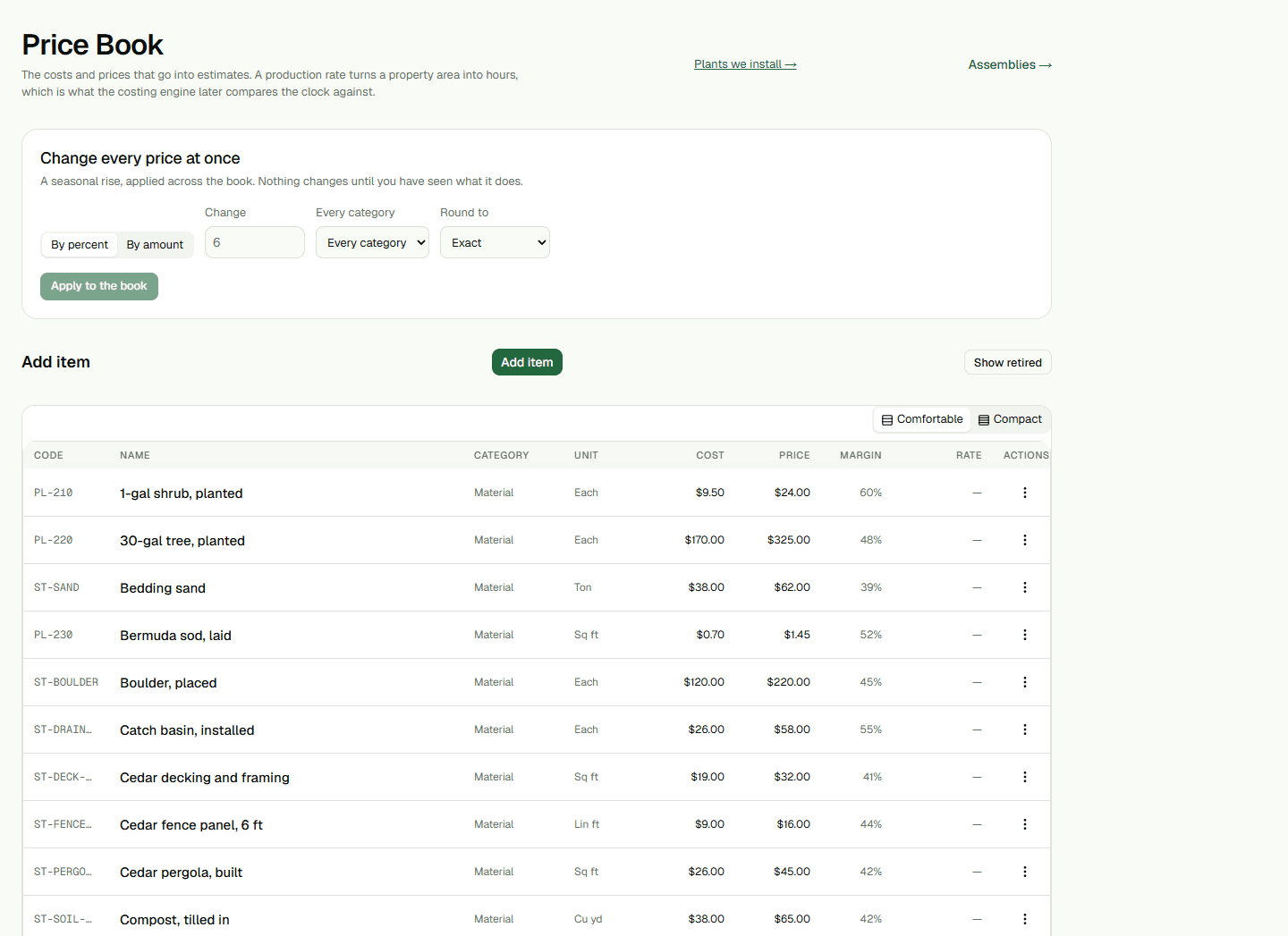
- Choose Add item and enter the required name, category, and unit.
- Add any cost, price, rate, supplier, code, or notes that apply, then save the item.
- For an existing item, open Actions, choose Edit, update its fields, and save.
Review a bulk price change
Change every price at once is for Administrators and Owners. Choose a percentage or amount, optionally limit it to one category, select a rounding rule, then review the preview before applying. It shows affected prices, before-and-after totals, entries that would fall below cost, and items with unknown margin. Applying changes active catalog unit prices, not unit costs.
Retire or restore an item
Choose Retire from an item's Actions menu and confirm to move it out of the active list. Existing estimates keep their reference. Choose Show retired, then Put back, to return it to the active book. Retirement is reversible; this page has no permanent-delete control.
Plants we install and Assemblies open separate catalogs. This guide covers price-book items, not plant-library or assembly setup.