Read the weekly hours
Review each person's closed shift time for a week and export the same weekly view.
Choose a week
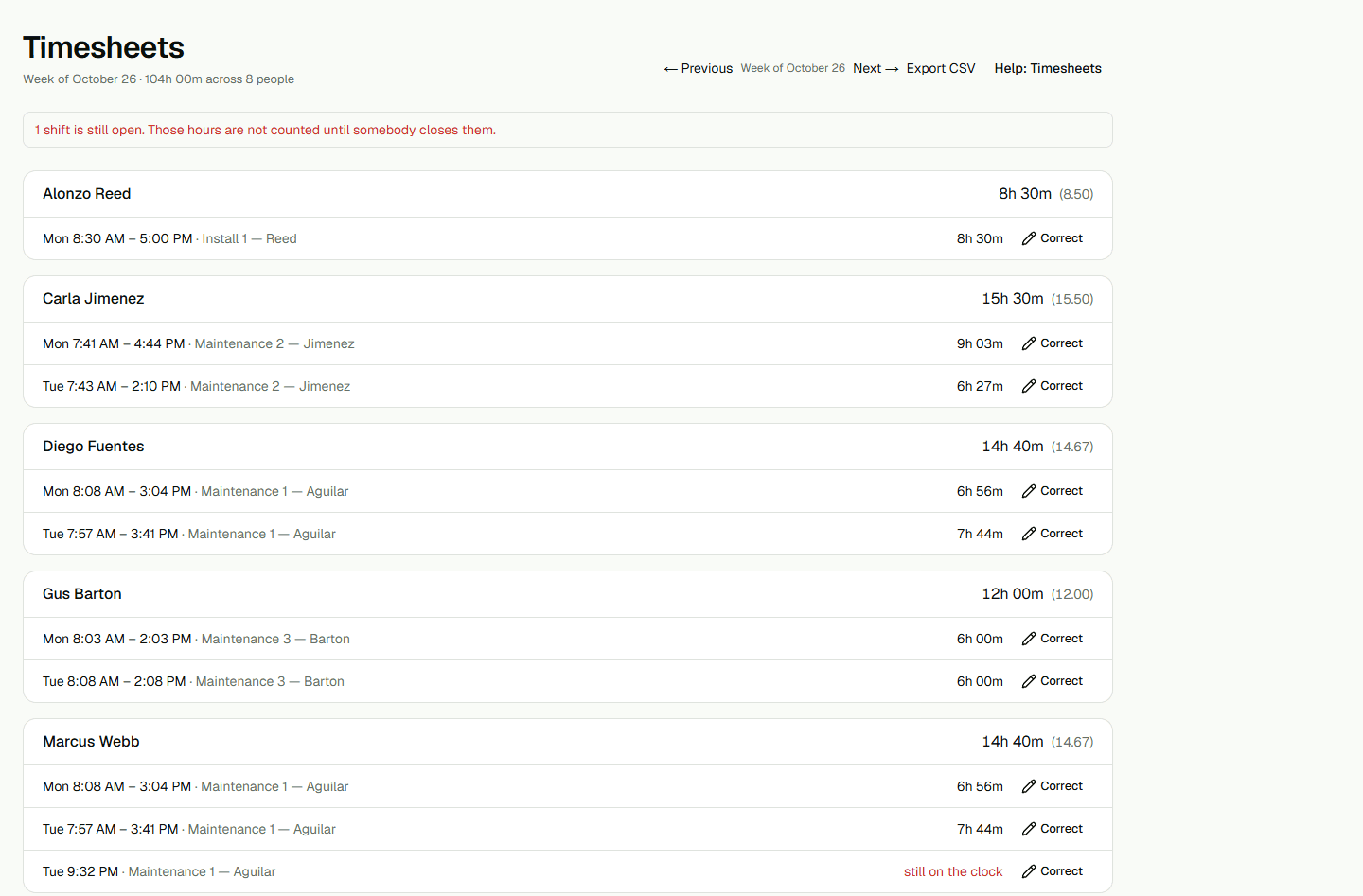
Open Timesheets and use Previous or Next to move between weeks. Each shift time is shown in your organization's time zone. The weekly total is grouped by person.
Read the totals
Closed shifts contribute their elapsed minutes, rounded to a whole minute for each shift. The decimal-hours figure is calculated from that whole-minute total, so it may be rounded to two decimal places. Open shifts are called out separately and are not included in the closed-hours total.
Export the selected week
Choose Export CSV after selecting a week to download that week's timesheet rows. The file includes the person's name, week starting date, hours, decimal hours, and open-shift count. The export uses the same displayed week and totals.