Review your sales funnel
Choose a date range to review leads by source and outcomes. The forecast follows that period; attribution and loss totals below cover all dates.
Choose the period
Use From and To, then choose Apply dates. The caption shows the dates the report used. If it cannot use the dates you entered, the report uses its default reporting period and shows a notice.
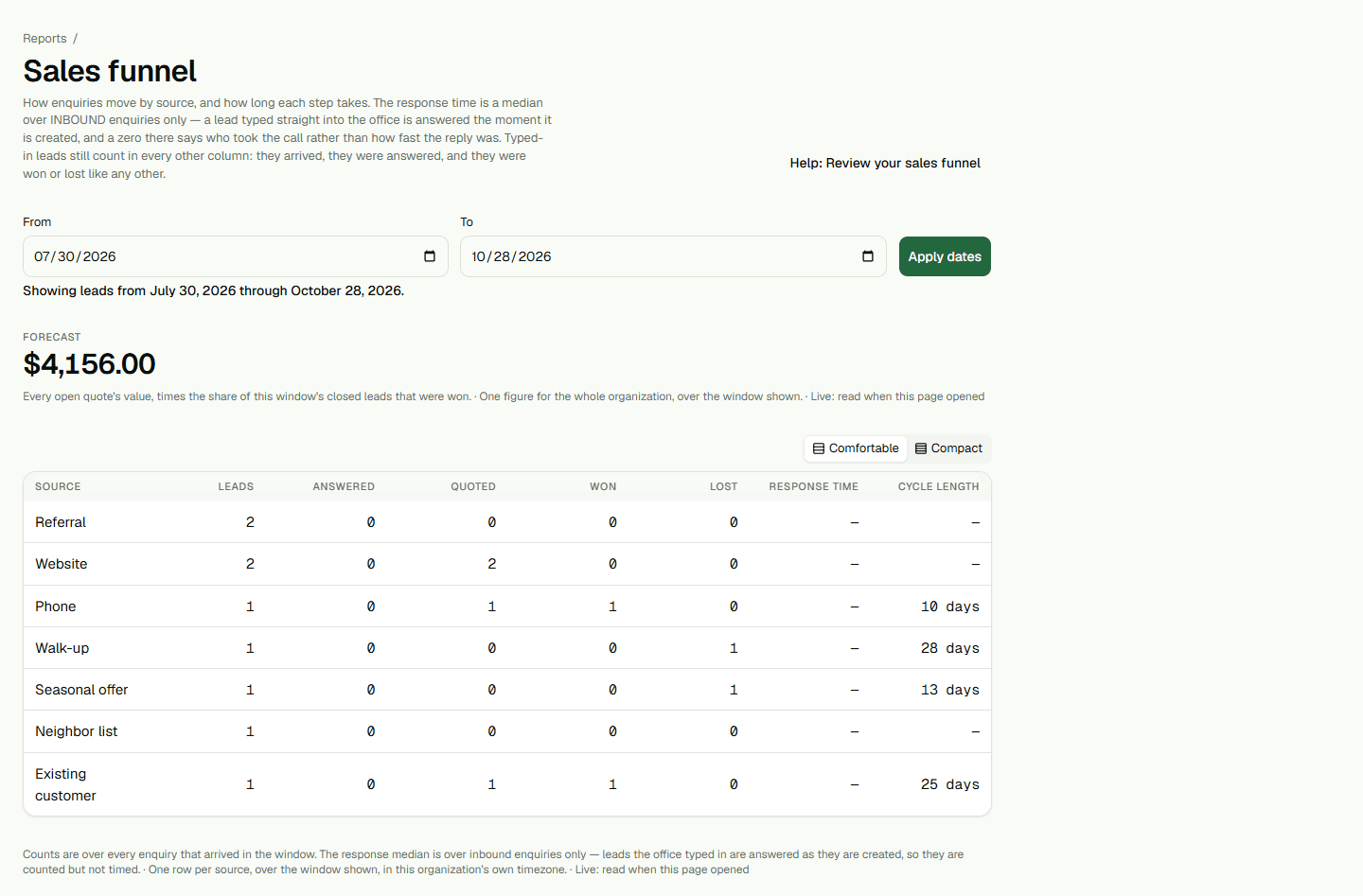
Read the funnel
Each row groups enquiries by source. Counts include enquiries entered directly by the office. Response time is a median for inbound enquiries only; an office-entered lead is already answered when it is created, so it is not timed.
A displayed 0 min is a measured median rounded to one decimal. A dash means there was no eligible inbound response from which to calculate a median.
Read the forecast and other panels
The forecast combines the current value of quotes already sent and awaiting a customer's response with the share of leads closed in the selected period that were won.
Attribution and loss panels show separate totals across all dates. Changing the selected period does not narrow those panels.