Work the follow-up queue
Review customers waiting for attention and choose a call or text action using the information on each row.
Review who is waiting
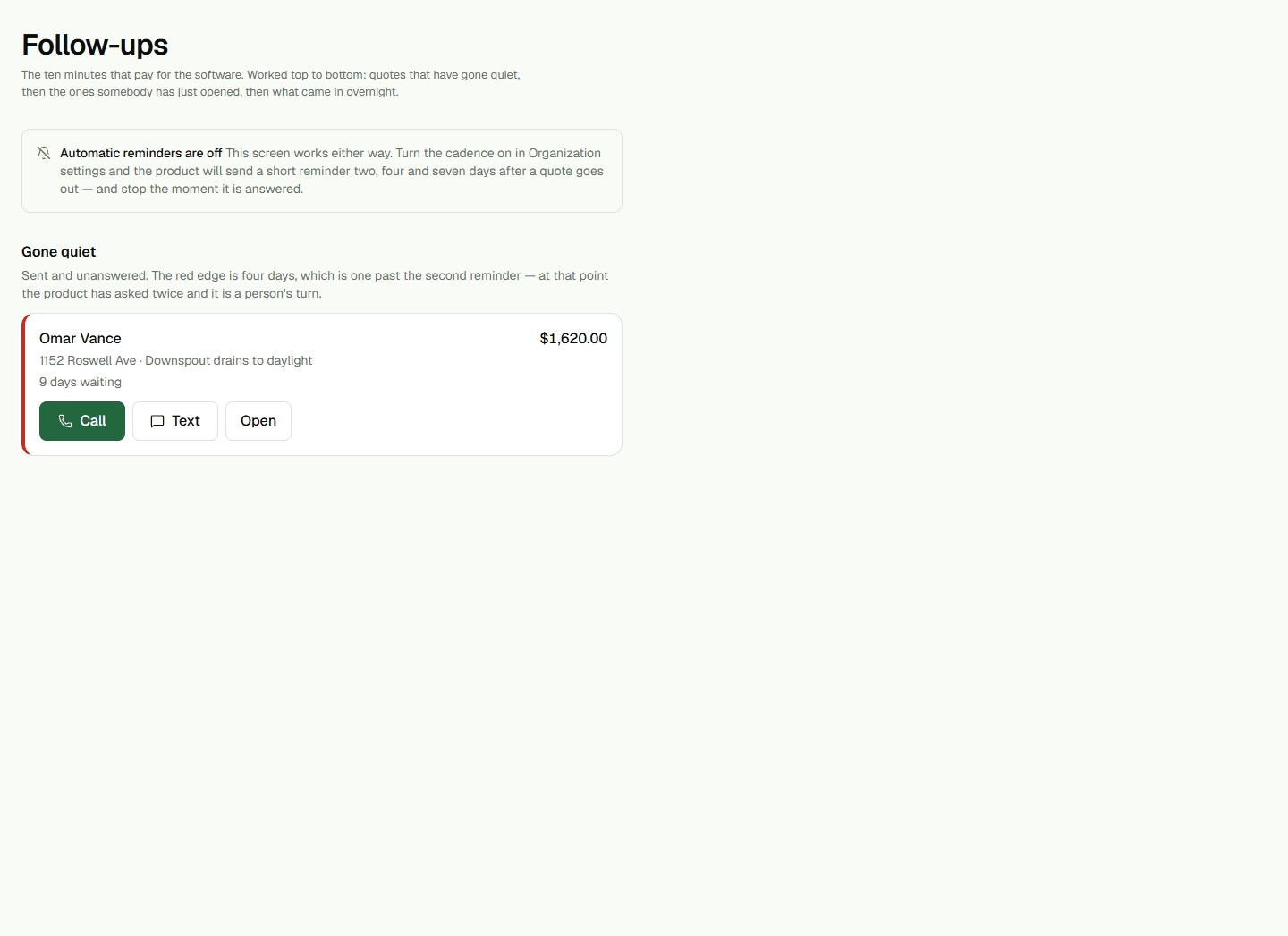
Open Follow-ups to review stale inquiries and customers who viewed a quote. The page shows how long an inquiry has waited or when a quote was viewed. Use those details to decide whether a personal call or text is appropriate.
Call or prepare a text
Choose Call to use the phone number on the row. Choose Text to open the device's text composer with a suggested message when a phone number is available. Review the message and recipient in your phone before sending; opening the composer does not send it.
If a row has no phone number, the page explains that the action is unavailable. If the cadence is off, scheduled follow-ups are disabled; use the customer's record or the Inbox when you need to handle a conversation directly.
Understand the queue limits
This queue helps the office notice work that may need a personal response. It does not prove a text or email was delivered and does not replace opt-out, quiet-hour, or marketing rules. Review Automations separately for scheduled follow-up timing and channel readiness.