Book a consultation and save the site brief
Record a site visit against a property, then save the customer's priorities and your notes on the visit's brief.
Record the consultation
A site visit belongs to a property, so add the property to its customer record first. The visit page then keeps the appointment and the brief together for the person preparing the design.
Check the property name and address before recording the visit. Leave Who is going (optional) as Not decided yet if nobody has been assigned.
If you select someone in Who is going, their name appears in the Site visits list under Staff member; a dash means no one was selected. This identifies the person recorded for the appointment; it does not confirm attendance.
- Open Site visits and choose Record a site visit.
- Choose the Property and Date of the visit.Who is going is optional and can be left undecided.
- Choose Record it.The visit opens on its own page, with a brief form attached to that property visit.
Save what you learned
Use the brief to keep the customer's priorities and the conversation in one place. The order of the priorities matters: enter them in the order the customer gave them, separated by commas.
Return to Site visits and open the visit for that property to review the saved brief. The editable fields preserve exact budget amounts, ordered priorities, selected styles and notes. The visit header summarizes the budget in whole dollars; the brief fields retain cents.
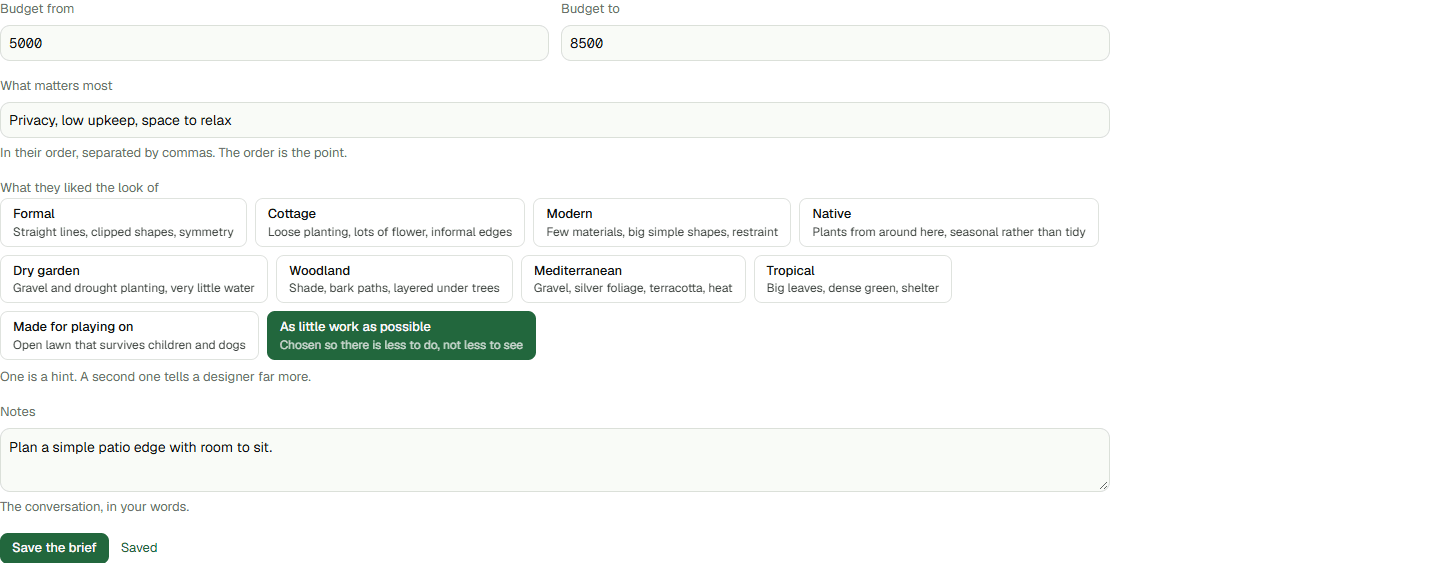
- Enter Budget from and Budget to when the customer gives a range. Leave either field blank if that amount was not discussed; the upper amount must not be lower than the lower amount.
- Under What they liked the look of, choose the style words that fit the conversation. You can select more than one; the guidance does not require a fixed number.
- Enter the priorities under What matters most.For example: privacy, low upkeep, somewhere for the dog.
- Write the conversation in Notes, then choose Save the brief.The page confirms Saved when the brief has been stored. Reopen the visit to continue from the same property record.
Keep the next step clear
The saved brief gives the designer the customer's priorities and conversation to start from when preparing a design.
For properties with a saved location using the current Studio experience, choose Open the Studio on the visit page. If no design has been saved, Studio asks what you want to design; if a design already exists, it opens the latest saved design for that property.
Use the brief as human-readable reference. It does not automatically transfer into Studio. Photos, measurements, findings, property changes and drawing the design are separate work; this guide covers booking and recording the conversation.