Read production times
Compare each service's estimated minutes with the median time recorded from completed visits.
Compare planned and actual time
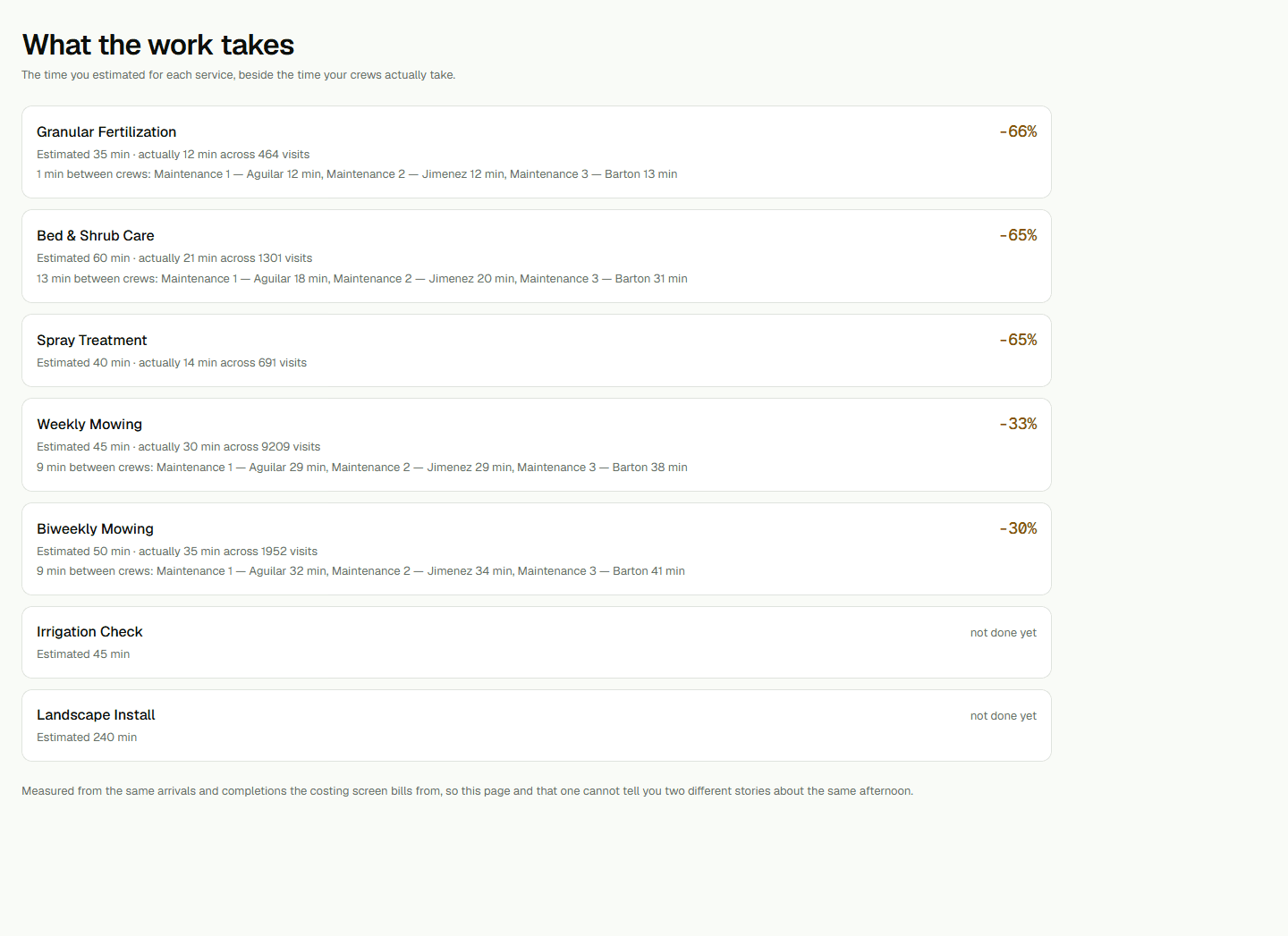
Open What the work takes as an administrator or owner. Each active service shows its planned estimate in minutes and, when enough work is recorded, the median time from completed visits. This is a production-time view, not a wage-rate or billing-settings page.
A service with no history is labeled not done yet. Fewer than 10 completed visits is a thin sample. The page does not show a drift percentage until there are at least 10 visits and a positive estimate. The percentage compares the observed median with planned minutes: positive means work took longer; negative means it took less time.
Read the ordering and crew spread
Services with the largest measurable differences appear first. Rows without a usable comparison follow them. Differences of at least 20 percent in either direction receive visual emphasis.
When two or more crews each have at least 10 observations for a service, the row can show the minutes between their fastest and slowest crew medians. If no spread is shown, there are not two qualifying crews; it does not mean the spread is zero.
Add a service when the list is empty
If no active services are listed, choose Set up a service to open Crews and add one. The report fills in as completed work is recorded. It does not guarantee future duration, capacity, profitability, or price.