Read and check business reports
Choose a reporting period, follow each report's counting rules, and check its metric contract before comparing figures.
Choose a period and a report
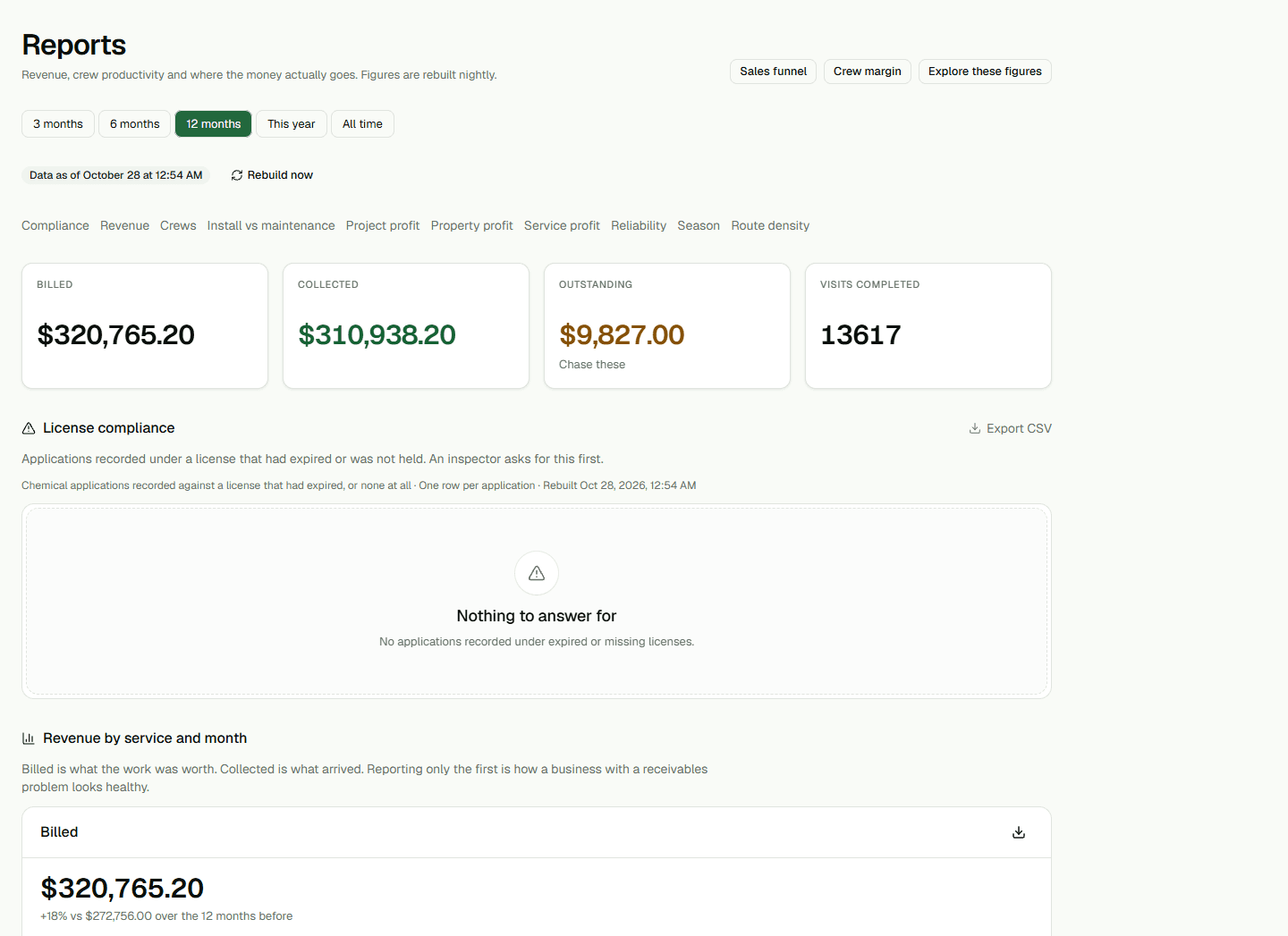
Open Reports and choose a reporting period. The selection is kept in the URL so you can reopen the same view. Use Sales funnel to review inquiries by source, Explore these figures to compare a supported measure, or the report links to open revenue, crew, compliance, season, route density, and profit sections.
Wage-bearing views are limited to administrators and owners. If a section is absent, check role access and the page's setup requirements before treating it as zero.
Compare figures with the right rules
Each section can use a different date window and row unit. Completed installation projects are counted when they finish; maintenance revenue is based on completed visits. Reliability percentages include only records eligible for that measure, and Not measured means there was no valid denominator.
Open a metric contract to review its formula, row unit, and refresh status. Missing labor or cost records can make a margin look better than it is. Do not compare sections until their date windows and counting units match your question.
Use exports and refresh status
Use a report's Export CSV control for its available rows. Money values in CSV files are decimal currency amounts, not raw cents. Check the freshness text before relying on a report that depends on rebuilt views; a refresh request alone does not prove the rebuild completed.