Set up your first crew
A crew is a truck and the people on it. Until one exists, the week board has nowhere to put a job.
Two things have to exist first
Who does the work, and what the work is. Both live on the Crews screen, and the week board cannot hold anything until they do.
The crew
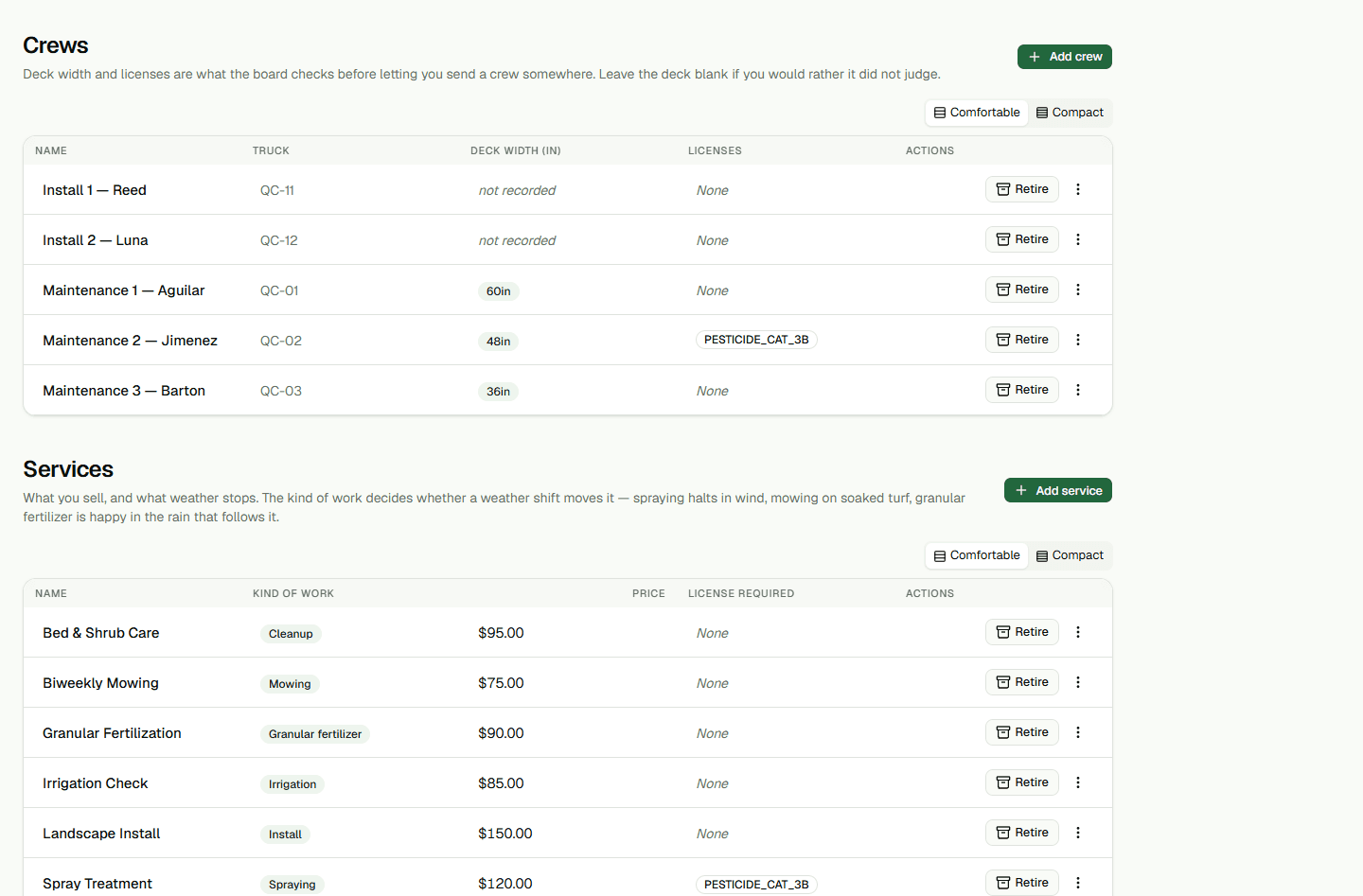
A crew is a truck-and-team, not a person: “Truck 2”, or “Mowing A”, whoever happens to be riding in it this week. What you record about it is what the board later uses to argue with you.
- A name. It is the row label on the board and the heading on the crew’s phone.
- A vehicle identifier, so the yard knows which truck is meant.
- The mower deck width, in inches. This is what lets the board tell you a 60-inch deck has been sent to a property with a 36-inch gate.
- The crew has one shared Licenses held (optional) list. Enter license names separated by commas, using the terms your property requirements use. This field records licenses for the crew; it does not record or validate a separate credential for each person.
- Open Setup, then Crews and services, then choose Add crew.
- Name it, and record the truck and the deck width.
- Enter the crew's Licenses held (optional) as a comma-separated list, using the terms your property requirements use.Leave it empty if none of your work needs one.
- In the form that opens, choose Add crew to submit it. When the save succeeds, the form closes.
The services you sell
On the same screen, add services such as mowing, cleanup, mulch, or an application. Choose the kind of work. You can also enter Minutes on site and License required (optional) when they apply. Choose Add service to submit the form.
The people
An Owner invites staff under Setup, then Staff. An Admin or Owner can add active staff to a crew by choosing Edit on the crew's row; the sheet that opens has Who rides in this truck. Choose a person and Add to crew. Crew membership is how the field app finds the crew assigned to that person's day; someone not added to a crew will not receive that crew's route.
Retiring one
Retiring a crew does not delete it. It drops to the bottom of the list and stops appearing on the board, its history stays attached to the work it did, and you can bring it back.
Who can change what
Dispatchers can view Crews. Admins and Owners can create and edit crews and services.