The crew’s phone shows no work
Four reasons a phone comes up blank, in the order they are worth checking.
Start here
Somebody has signed in successfully and the day is blank. That is almost never a fault. It is one of four things, and they are quick to tell apart.
1. They are not on a crew
The common one. A phone finds its route by asking which crews this person rides with, so somebody invited as staff and never added to a crew signs in perfectly and sees nothing, forever. Open Crews and services, open the crew, and under Who rides in this truck choose Add somebody, then Add to crew.
2. The work is still unassigned
A job sitting in the Unassigned row of the week board, or waiting in the To place tray, belongs to nobody yet. Nothing is late and nothing is broken; it has simply not been given to a crew. Drag it onto the crew and the day.
3. It is a different day than you think
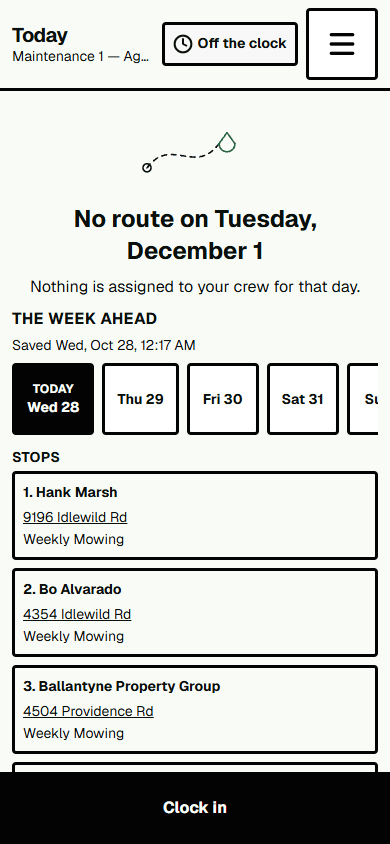
The product works in your organization’s time zone — set under Setup, then Organization — and not in the phone’s. A crew starting at five in the morning, or a business running across a zone line, can be looking at a day the office has not reached yet. Check the day marked Today in The week ahead strip on the phone against the column you assigned into.
4. They are signed in as somebody else
Shared handsets get handed on. The crew name is at the top of the screen; if that is the wrong crew, you have your answer.
A phone will only ever show its own crew’s stops. If somebody is seeing another crew’s gate codes, that is not a configuration question — tell us the same day.