When the internet goes down
What keeps working when the office loses its connection, a crew loses signal, or ScapeLogic itself is down — and what to turn on before it happens.
Before it happens
None of this helps if it is only switched on after the internet is already gone. Four things, done ahead of time, are what make an outage a bad morning instead of a lost one.
- Turn on the morning brief.Setup, then Continuity. Once it is on, the owner's inbox gets today's schedule as a printable page every morning before the trucks leave — a copy of the day that already exists somewhere ScapeLogic being down cannot reach.
- Open Offline backup once, from any office computer.It is the link at the top of every office screen on a laptop or desktop, and it opens the page titled Offline copy. From then on, ordinary use keeps it current: any time somebody is signed in with a connection, the week, the customer directory and every quote still waiting on an answer save themselves quietly in the background.
- Ask each crew to open the app with signal at the start of the day.The week ahead saves itself to the phone the same way the office's copy does, and a phone that never gets a moment of signal that morning has nothing saved to fall back on later.
- Keep a backup connection within reach.A 5G home internet box, or a phone set up as a hotspot, keeps the whole office working through an outage of the building's own line, because ScapeLogic runs in any ordinary browser.
The office, with no connection
Open Offline backup, the link at the top of every office screen, and the Offline copy page answers with whatever it last saved — the week ahead by crew, the customer directory, and every quote still waiting on an answer — rather than a blank page. It says plainly when that copy was saved, and once enough time has passed that the board could have moved on since, it says that too, rather than pretending to be current.
A notepad sits at the bottom of the same page. Write down what happens while the connection is down — who called, what was agreed — and it stays right there in this browser, sent in your name the moment the connection is back. Sign out before it sends, and it simply waits on this same computer until you sign in again.
None of that reaches as far as the board itself. A few things only work with a live connection, here or on any other piece of software, because each one has to be agreed with something outside this browser — a server, a bank, a phone carrier:
- Moving a visit onto another day.
- Sending a quote, or a client signing one.
- Taking a payment.
- Texting a customer.
The crews, with no signal
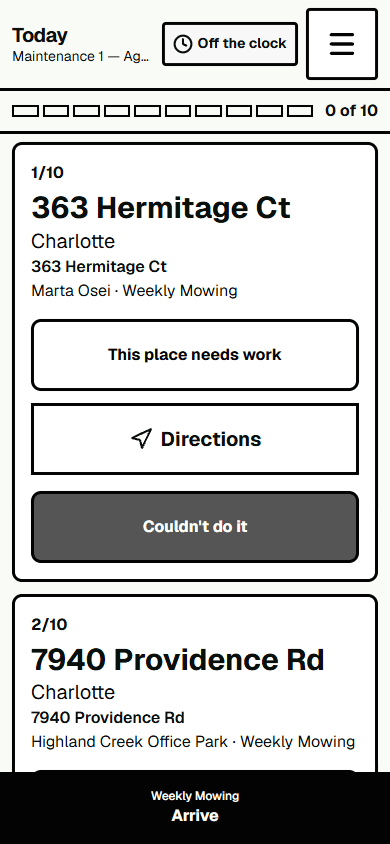
When the app is open and connected, it tries to send queued actions when it loads, when the connection returns, when you bring it back to the front, and after another action is queued. Actions that save successfully on this phone stay in its waiting list until the server confirms them. Check the waiting count; it counts actions on this phone, not just work scheduled for today. If actions remain while you are online, choose Send now. A retry option may appear for a connection failure; a server refusal needs the office. Until a response arrives, the phone can show only the last status confirmed by the server.
Open the app while connected and check the saved time shown in the week panel. If it says Not saved, choose Save now while online. The week panel is a saved read-only copy; check its age warning before relying on it for assignments.
Signing out takes all of it back. The saved week and the last loaded route both go the moment somebody hands the phone to the next crew member, so nobody inherits somebody else's addresses and gate codes by accident. Anything still waiting to send is the one exception: it stays on the phone under the name of whoever tapped it, until that person signs back in to finish sending it.
If ScapeLogic itself is unreachable
The morning brief above sends before any of this happens, so it survives an outage that starts after the trucks leave: the emailed schedule and its attached contact list are already sitting in the owner's inbox, readable on any phone with its own signal, whatever ScapeLogic itself is doing.
On Mondays, with the whole-directory option switched on, that same email carries the full customer directory — a plain list of every active customer's name, phone, email and address, enough to keep dispatching by phone for as long as it takes.
The office's Offline copy still opens too. It answers from what it last saved whether it is the building's connection or ScapeLogic that has stopped answering, and it keeps that copy rather than clearing it.
For everything else, there is Export your data, under Setup, then Organization: one button, Export everything, that downloads the whole organization's record as a set of plain files. It needs ScapeLogic to be working when you press it, so the time to use it is before you need it; a copy kept somewhere of your own is one no outage can reach.